
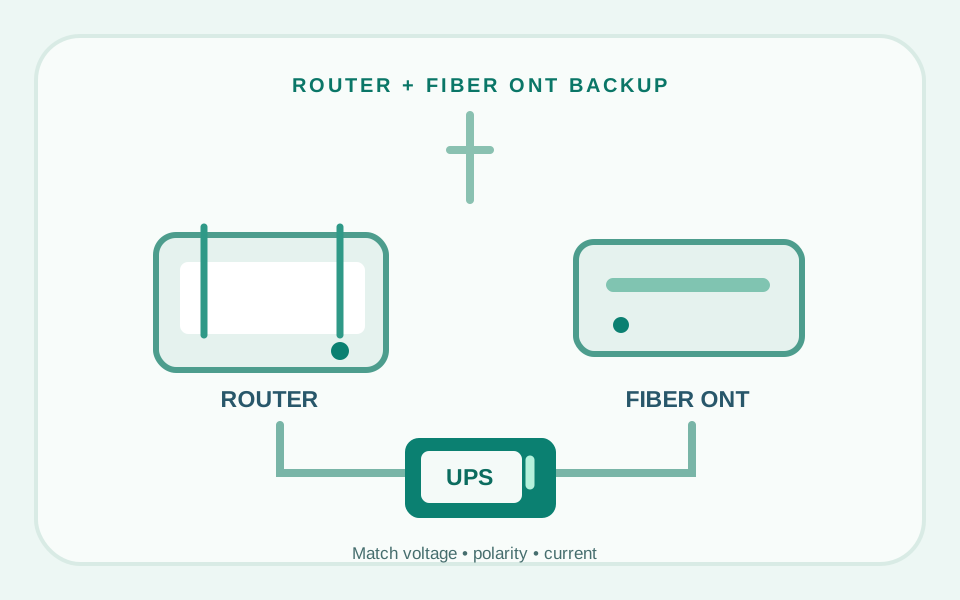
A mini UPS can keep a compatible router and optical network terminal (ONT) powered when household electricity fails. But buying by "12V" or advertised capacity alone is risky. You must match each device's input voltage, maximum current, connector size and polarity, then check whether the battery output is regulated and whether the external internet network stays operating.
Start by identifying the two devices
Your home internet connection often depends on more than the Wi-Fi router. Fiber installations typically include an ONT (optical network terminal), which converts the fiber link to Ethernet. If the ONT and router both need their own power adapters, keeping only the router powered can leave you with a Wi-Fi network but no live internet connection.
Before ordering any battery backup, photograph the power labels on the router and ONT. Note whether your service uses a separate ONT or an integrated gateway. Record the plug dimensions from the manufacturer documentation rather than judging connector fit by appearance.
- Output voltage: the voltage required by each device must match the UPS port; a marketing term such as "12V" may not mean tightly regulated 12.0V.
- Current and total wattage: each output needs enough current, and total loads must stay within the UPS rating.
- Connector: check barrel diameter, inner pin and fit; adapters may be necessary.
- Polarity: center-positive and center-negative are not interchangeable. Wrong polarity can damage hardware.
The presence of multiple output jacks does not guarantee that the UPS supports all ports at their maximum values simultaneously. Read the maker's combined output rating before connecting multiple devices.
Two backup approaches worth comparing
TalentCell / YABO SL3400
Manufacturer-branded material describes a compact multi-output lithium-ion UPS with 9V and nominal 12V DC connections and USB outputs. The SL3400 family is often marketed for routers and modems.
Critical caveat: YABO's technical description says its nominal 12V output can range roughly from 9V to 12.6V. That makes it unsuitable to assume safe operation with devices requiring regulated 12V without explicit confirmation.
Check official specs ↗CyberPower ST425
CyberPower documents a 425 VA / 260 W standby UPS designed for 120V AC power, including home networking equipment. It provides eight outlets, but the manufacturer specifies four battery-backed and four surge-only outlets.
Best use case: You want to leave your existing approved router and ONT AC adapters in place instead of choosing DC barrel cables. It is physically larger, and backup duration depends heavily on total power demand.
Check ST425 on Amazon ↗The CyberPower Amazon ASIN is identified from a third-party retailer's matching model record; verify that Amazon currently shows the exact ST425 and an acceptable seller. The manufacturer's specifications are the primary technical source. No price or live availability is asserted. The TalentCell/YABO link is non-affiliate.
| Consideration | Direct-DC mini UPS | Conventional AC UPS |
|---|---|---|
| Device connection | UPS DC output → device DC input | Existing device power adapter → UPS battery-backed AC outlet |
| Main risk | Voltage regulation, polarity, barrel connector, shared current | Correct mains voltage, outlet selection, total load |
| Desk footprint | Often compact | Usually larger |
| Power conversion | Potentially fewer conversions | AC backup plus original AC-to-DC adapters |
| What to verify | Individual and combined DC port specs | Battery-backed outlet count and runtime at your load |
How to think about runtime—without guessing
Battery listings often put a large milliamp-hour number at the top. That figure can be misleading when two products use different battery-cell voltages. For a rough energy comparison, watt-hours (Wh) are more useful than bare mAh.
Even watt-hours do not equal guaranteed usable runtime. You must account for conversion losses, internal battery protection limits, battery age, operating temperature, and the actual load. Some products quote runtimes under particular test conditions that may not resemble your router and ONT.
If you need internet throughout a long outage, a UPS may not be enough. The ISP's neighborhood equipment and upstream network must also remain powered. Battery backup of your equipment cannot guarantee a working external service.
Step-by-step compatibility checklist
- List each powered network device, including a separate ONT, gateway, Ethernet switch and optional access point.
- Read each adapter's output label, such as 9V DC or 12V DC, and its stated current rating. Do not use the AC wall-input number.
- Check connector diameter, polarity symbol, and whether a passive cable or specific adapter is required.
- Determine whether the UPS port is regulated to the device's required voltage for the full discharge range.
- Confirm the UPS can supply all connected devices at once, including startup demand.
- For an AC UPS, use only the outlets clearly marked as battery backed—not surge only.
- Check local mains compatibility: the ST425 is a US 120V model, not a universal-voltage option.
- Test the setup safely following manufacturer directions, ensuring ventilation and not bypassing protective hardware. Contact the manufacturer when specifications are unclear.
For a workstation that depends on reliable video calls, our two-computer USB-sharing guide explains a different source of desk friction: moving input peripherals between work and personal machines.
Common mistakes worth avoiding
- Buying a "12V" output without checking regulation: nominal and regulated output may differ.
- Ignoring the ONT: the Wi-Fi can remain visible even when the internet uplink is gone.
- Assuming every AC outlet has backup power: on the ST425, some outlets provide surge protection only.
- Choosing an adapter based only on connector fit: current, voltage and polarity still must match.
- Trusting exaggerated runtime advertisements: ask for a load-specific calculation or an official runtime chart.
- Overloading the UPS: stay within published continuous and combined output limits.
Editorial takeaway: For a modest router-and-ONT pair, a manufacturer-supported DC UPS that explicitly matches both adapters could save space. If DC compatibility is uncertain, an appropriately sized AC UPS using the existing adapters is often easier to reason about—at the expense of size and potentially lower conversion efficiency.
Frequently asked questions
Will Wi-Fi still mean the internet is online during an outage?
Not necessarily. Your router, ONT and upstream ISP infrastructure all need to remain operational. A battery does not guarantee the provider’s outside network stays live.
Can one mini UPS run both my router and fiber ONT?
Potentially, if it provides the correct voltage, current, connector polarity and combined power for both. Check regulated output requirements before connecting.
Is a nominal 12V lithium battery always safe for 12V networking gear?
No. Some nominal-12V battery packs have a voltage range that changes during discharge. Confirm what your equipment accepts and what the UPS manufacturer guarantees.
Are all eight CyberPower ST425 outlets battery backed?
No. The manufacturer lists four battery-and-surge outlets and four surge-only outlets. Plug backup-critical equipment into the battery-backed group.
How many hours will my router run?
No universal number is reliable. It depends on the UPS model, battery condition, conversion efficiency and real combined load. Use a manufacturer runtime chart or compatible load calculation.
How we researched this guide
We examined manufacturer and software-vendor documentation available on November 5, 2026. We did not conduct laboratory tests or verify live Amazon inventory. Product revisions, firmware, software versions and seller offers can change, so check the exact model before purchasing.