
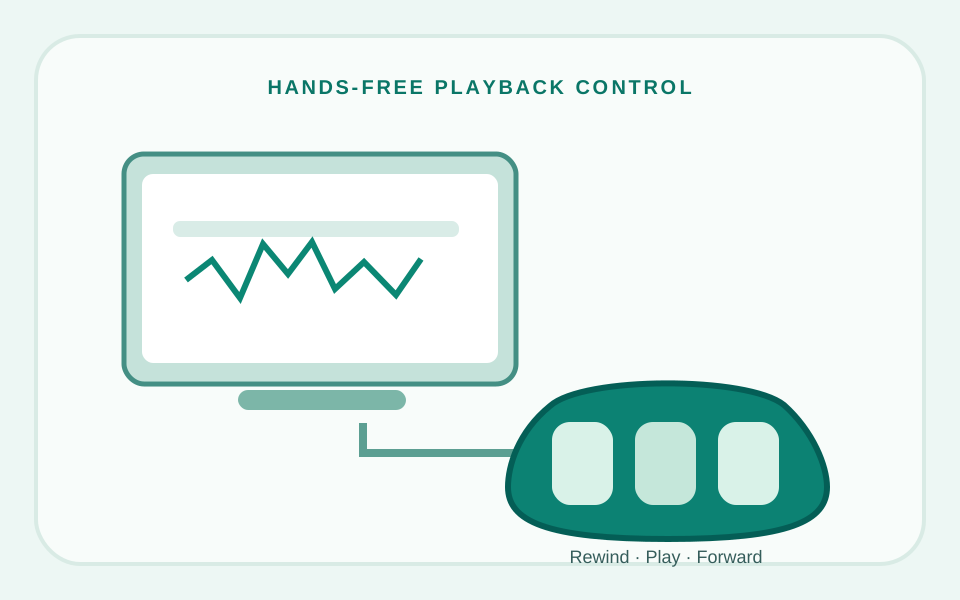
Start by checking your Express Scribe edition. NCH's published Mac controller list identifies the AltoEdge USB Foot Pedal as a supported controller that does not require a Pro license. A different product, the ECS-FPAE, is marketed for both Free and paid Express Scribe but works by sending configured keyboard shortcuts rather than using NCH's standard foot-pedal setup wizard. Pro supports a wider range of controllers. Check the exact pedal, software release and operating system before buying.
Start with the software license, not the pedal
Express Scribe lets a transcriptionist control audio playback without leaving the keyboard to click play, rewind and fast-forward. A foot pedal can make that workflow smoother, but only when the software recognizes the device and your license permits using it.
NCH Software's Mac documentation explicitly separates Express Scribe from Express Scribe Pro. The feature comparison lists AltoEdge USB Foot Pedal for the standard version and all compatible pedals for Pro. The trial can expose Pro functionality temporarily, which is important: a pedal functioning during a trial does not prove it will continue to work under the free edition after the trial ends.
| Your setup | Starting recommendation | Verify before buying |
|---|---|---|
| Express Scribe (free/home edition) | AltoEdge FPAEUSB2 (NCH-listed); alternatively, ECS-FPAE (shortcut-emulating accessory) | Exact model, your operating system, and the different setup methods |
| Express Scribe Pro | Select from the vendor's current compatible-controller list | Specific pedal revision and software version |
| Recent Mac or Apple Silicon system | Seek current vendor confirmation first | OS release, USB adapter and driver requirements |
| Other transcription application | Check that application's supported-controller documentation | Do not assume Express Scribe compatibility carries across apps |
Because NCH may revise supported hardware lists, treat the manufacturer documentation as a point-in-time reference, not a permanent warranty. The linked NCH manual is the strongest source for the edition distinction.
Pedal models worth examining
AltoEdge USB Foot Pedal
NCH lists the wired AltoEdge three-button USB pedal as a recommended controller that does not require a Pro software license. Other specially configured pedals such as the ECS-FPAE can use keyboard-shortcut emulation, which is a different integration method. AltoEdge calls its wired model FPAEUSB2 and documents rewind, play/stop and fast-forward functions.
Before purchase: AltoEdge's published system-requirements page contains older Windows and macOS versions. Ask the vendor to confirm support for your present OS.
See official AltoEdge model ↗Infinity IN-USB family
NCH's current compatible-controller page mentions VEC Infinity IN-USB-1 and IN-USB-2 as recommended with a required software license. NCH's shopping page also lists an IN-USB-3, but that is not the same as a version-specific compatibility guarantee in the published help table.
Before purchase: Confirm the exact IN-USB-3 revision, current Express Scribe Pro version and macOS/Windows release with NCH or the seller.
NCH controller list ↗ View IN-USB-3 on Amazon ↗ECS-FPAE USB Transcription Foot Pedal
This ECS-FPAE is a separate, Express Scribe-specific foot pedal—not the AltoEdge FPAEUSB2 or the standard Infinity IN-USB series. The ECS-FPAE seller documentation describes support for Free and paid Express Scribe using preprogrammed system-wide keyboard shortcuts. Do not run the regular foot-pedal controller wizard for this model; follow its own setup instructions instead.
Before purchase: check the exact ECS-FPAE model on the Amazon listing, supported Windows or macOS versions, and current seller/return terms. The Amazon offer and inventory were not independently verified.
View ECS-FPAE on Amazon ↗Amazon buttons are affiliate links. The manufacturer and NCH links are non-affiliate reference links. The IN-USB-3 product exists, but its exact compatibility with your Express Scribe Pro version and operating system is not guaranteed by the published older-generation controller list. Check the precise seller offer before ordering.
Mac compatibility deserves a separate check
A product page that says "Mac compatible" is not necessarily a current statement about Apple Silicon or the latest version of macOS. Some sellers display support lists from much older software releases. Equally, USB-C-to-USB-A adapters may transfer data but cannot solve an unsupported foot-pedal driver or software integration.
- Check your exact macOS version and whether it is an Apple Silicon or Intel Mac.
- Confirm that the pedal's manufacturer or NCH has tested that combination.
- Check whether any required driver or helper software is available and maintained.
- Confirm that your Express Scribe edition is permanent Pro or the supported free edition, not just a trial.
- Ask for a return policy if the seller cannot document modern OS compatibility.
NCH's public compatibility list is a starting point for the hardware family, but not a substitute for verification of your particular operating-system release.
A sensible setup and troubleshooting sequence
- Install the latest Express Scribe release supported by your operating system, following NCH's official instructions.
- Confirm whether the installed edition is Free or Pro and whether any trial features are active.
- Connect the pedal directly to a suitable USB port at first; avoid adding a hub until basic detection is established.
- Use Express Scribe's controller settings to identify and configure the connected pedal, following vendor documentation.
- Map the three controls to rewind, play/pause and fast-forward as needed.
- Test with an ordinary local audio file before starting a paid transcription assignment.
- If it fails, compare the exact model identifier, cable/adapter, macOS or Windows version, and NCH supported-controller list.
For remote interviews, the foot pedal is only one part of the setup. Consistent headphone comfort and clear recordings matter too. Our Sony WH-1000XM5 guide explains general headphone tradeoffs, though it is not a dedicated transcription-headset test.
Questions to ask a seller before ordering
- What is the exact manufacturer model and revision, not just the product title?
- Does the pedal work with Express Scribe Free, or does it require the Pro license?
- Has the pedal been verified on my current Windows or macOS release?
- Does it need an app-specific driver or configuration utility?
- Is there a written return option if compatibility is not as described?
- Are all three pedal actions configurable, or are some functions fixed?
Editorial conclusion: If you intend to keep Express Scribe Free, the AltoEdge FPAEUSB2 is explicitly listed in NCH documentation; the ECS-FPAE is another product marketed for Free/paid Express Scribe using keyboard-shortcut emulation and different setup instructions. If you already use Pro, check the exact revision of an Infinity or other supported pedal before ordering. In all cases, verify OS compatibility and the seller offer.
Frequently asked questions
Which foot pedal works with the free version of Express Scribe?
NCH’s Mac licensing help names AltoEdge FPAEUSB2 for the standard edition. Separately, ECS markets its ECS-FPAE for Express Scribe Free and paid editions via keyboard-shortcut emulation. Confirm current OS support and follow the setup instructions for your chosen product.
Does Infinity IN-USB-3 work with Express Scribe Free?
Do not assume so. NCH lists supported Infinity generations with a required license; the separate store listing for IN-USB-3 is not proof of Free-edition support. Request explicit confirmation for your software and operating system.
Can I use a foot pedal with an M-series Mac?
Possibly, but older "Mac compatible" labels may not cover current Apple Silicon models or modern macOS releases. Seek version-specific confirmation from the pedal maker or NCH.
Will my foot pedal keep working after the Express Scribe trial?
Only if the licensed edition supports that pedal. The trial may temporarily enable Pro features; verify the post-trial edition restrictions before relying on it.
Why is my pedal not recognized?
Possible causes include unsupported model revision, operating-system compatibility, driver requirements, USB adapter or connection problems, or Free-versus-Pro licensing restrictions.
How we researched this guide
We examined manufacturer, software-vendor and seller documentation available on November 5, 2026. Amazon links identify reported matching ASINs for ECS-FPAE and Infinity IN-USB-3; we did not independently confirm active offers, inventory or test the pedals. Product revisions, firmware, software versions and seller offers can change, so check the exact model before purchasing.
- NCH Software: Mac Express Scribe licensing and Free vs Pro feature comparison
- NCH Software: Mac compatible foot-pedal controllers
- AltoEdge: wired USB foot-pedal model details
- NCH Software store: product designation for Infinity IN-USB-3
- ECS-FPAE specialist retailer: supported Express Scribe editions and hardware identification
- ECS-FPAE setup manual: shortcut configuration for Free and paid Express Scribe